Workout Timer: Rest Periods, Interval Formats, and How to Set One Up
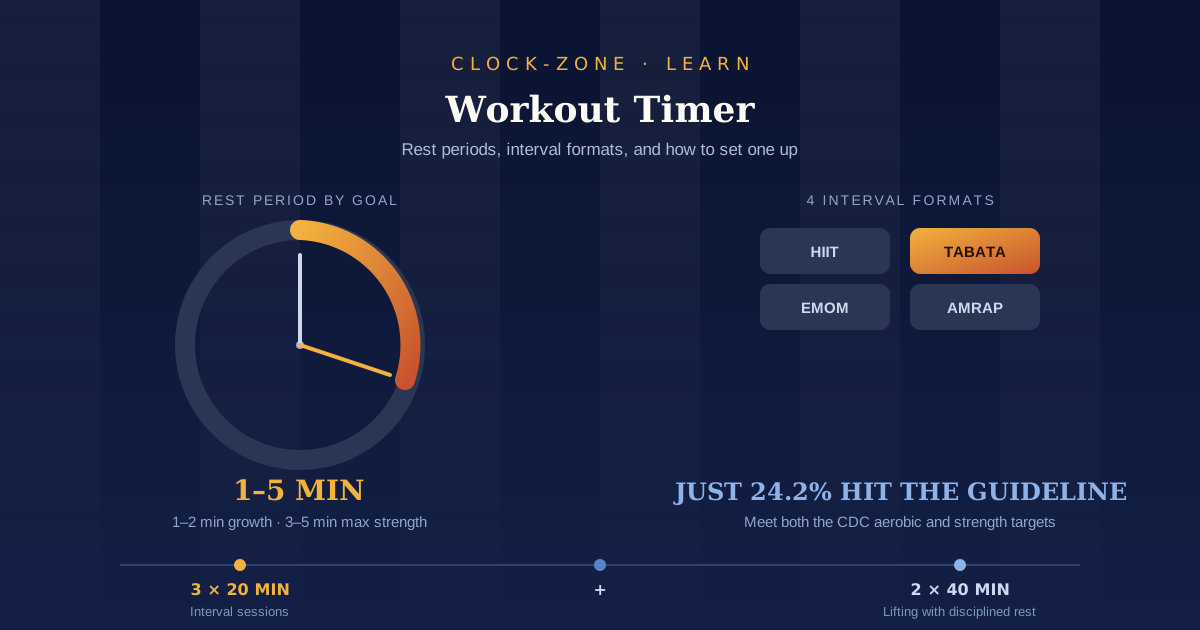
TL;DR: A workout timer runs your rest periods and interval rounds so you don't have to count or guess. Rest 1 to 2 minutes between hypertrophy sets and 3 to 5 minutes for heavy strength work. For intervals, start at a 1:1 work-to-rest ratio. A browser countdown timer handles all of it, with no app and no unlocking your phone mid-session.
You finish a hard set. You reach for your phone to check the time. A notification is sitting there, you open it, and the next set starts whenever you happen to look up. What you planned as a 60-second rest was closer to four minutes.
A workout timer fixes that, and it is probably the cheapest upgrade available to anyone who trains. It costs nothing, it needs no equipment, and it protects the two things you actually control in a session: how long you rest and how much work you fit into the time you have.
That matters more than it sounds. The current guidelines ask adults for 150 minutes of moderate activity a week plus two muscle-strengthening days, and most people are training around a job, a commute, and everything else. When the session has to be short, the timing inside it stops being a detail.
This guide covers what a workout timer does, how long to rest, which interval format fits which goal, and how to set one up in your browser in under a minute.
What Is a Workout Timer and How Does It Work?
A workout timer is a countdown or repeating interval timer that signals with sound when a work period or rest period ends. It handles three jobs: timing rest between sets, running interval rounds like HIIT or Tabata, and capping the total length of a session.
The important part is the sound. During a set your eyes are on the bar, the floor, or the wall in front of you, not on a screen. A timer you can hear is a timer you can actually use.
The three jobs a workout timer does
- Rest timer. You set one duration, start it when you rack the weight, and lift again when it goes off. This is the most common use and the one that changes results fastest.
- Interval timer. Alternating work and rest periods, repeated for a set number of rounds. HIIT, Tabata, and circuit work all live here.
- Session cap. One long countdown for the whole workout. Useful when you have exactly 40 minutes and need the session to end on time.
Countdown, count-up, or interval
A countdown is right for anything with a fixed duration: rest periods, work intervals, timed carries, plank holds. A count-up stopwatch is right for open-ended efforts where the score is time or total work, like an AMRAP or a for-time circuit. Interval mode is a countdown that loops automatically so you never touch the screen mid-round.
Most people need the first two. If your timer does countdown and stopwatch, you can run almost any session.
Why Not Just Count in Your Head or Watch the Clock?
Because unmonitored rest almost always runs longer than intended. A rest period you planned at 60 to 90 seconds routinely stretches to three or four minutes, which lowers your training density and makes sessions inconsistent from week to week.
That is not a discipline failing. It is what happens when a rest period has no defined end.
The phone problem
The device most people use as a timer is also the device most likely to eat the rest period. Americans check their phones 186 times a day, roughly 11.6 times per hour. Unlocking it between sets puts you one tap from everything.
Gym coverage of this is blunt about the cost. As one club's breakdown of the research puts it, many people intend to rest for 60 to 90 seconds, look up, and find three or four minutes have gone, cutting the amount of work performed over time.
You do not need to leave the phone at home. You need the timer to be the only thing you open.
Counting does not survive effort
The other option, counting in your head, works fine on set one. By set six of a heavy squat session you are breathing hard and your internal clock is unreliable. During intervals it is worse: you cannot count reps and seconds at the same time, so one of them slips.
Offloading the count is the whole point. Your attention goes to the movement instead of the arithmetic.
How Long Should You Rest Between Sets?
Rest 1 to 2 minutes between sets for muscle growth, 3 to 5 minutes for maximal strength, and 30 to 60 seconds for muscular endurance or circuits. Rest longer for heavy compound lifts like squats and deadlifts, and less for isolation work.
For years the standard advice was to keep rest short for hypertrophy on the theory that the burn drove growth. Then the research went the other way.
What changed the guidance
A 2016 study compared trained lifters using 1-minute rests with lifters using 3-minute rests over eight weeks. The longer-rest group saw better muscle growth and better strength gains, mostly because they could perform more quality reps per set.
A 2024 review reached a similar conclusion, finding that rest intervals over 60 seconds give a small but real edge for hypertrophy. In one included study, lifters resting 180 seconds saw a 13.1% increase in quad size against 6.8% for the 60-second group.
For pure strength, the older evidence has held up. Resting 3 to 5 minutes between sets produced greater increases in absolute strength, because heavier loads need more recovery to repeat.
That said, you may not need as long as the headline numbers suggest. A recent meta-analysis found that 1 to 2 minutes is a solid working guideline for maximising hypertrophy, which is good news for anyone training on a clock.
Rest periods by goal
| Goal | Rest between sets | Notes |
|---|---|---|
| Maximal strength | 3 to 5 minutes | Heavy compounds, low reps |
| Muscle growth | 1 to 2 minutes | Push to 3 min on squats and deadlifts |
| Muscular endurance | 30 to 60 seconds | Higher reps, lighter loads |
| Circuits and conditioning | 0 to 30 seconds | Rest is the transition between stations |
One practical note: single-joint exercises like curls or lateral raises recover faster than compound lifts. Using your squat rest period on your triceps work just makes the session longer without making it better.
HIIT, Tabata, EMOM, and AMRAP: Which Timer Format Do You Need?
These four words cover most of what a gym whiteboard will ever ask of you. Each one is a different container for the same idea: the clock decides something so you don't have to.
HIIT
High-intensity interval training alternates hard efforts with recovery. During the work periods you're aiming for roughly 80 to 85% of your maximum heart rate, against 55 to 70% for steady-state cardio.
It is popular because it is efficient. Research suggests that three sessions a week, with under 10 minutes of intense work inside a 30-minute session, can improve aerobic capacity and markers of disease risk within a few weeks. One of the field's leading researchers recommends three sessions weekly with intervals of one to four minutes, keeping total workout time between 20 and 30 minutes.
It is also more broadly applicable than its reputation suggests. Harvard Health notes that interval work can improve key cardiovascular measures across a wide range of people, including some recovering from heart events, though that is a case for medical guidance rather than a green light.
Timer setup: interval mode. Work period, rest period, number of rounds.
Tabata
The real Tabata protocol is seven to eight rounds of 20 seconds at maximum effort with 10 seconds of rest, which is four minutes total.
Two caveats matter. First, the original study used all-out cycling at roughly 170% of VO2max, so almost nothing labelled Tabata in a group class is actually Tabata. Second, the protocol was designed for extremely fit athletes, and the original version is enough to cause nausea in many people. Scaled versions using the same 20:10 structure at a manageable intensity are still a good workout. They are just not the study.
Timer setup: 20 seconds work, 10 seconds rest, 8 rounds.
EMOM
Every minute on the minute. You perform a set number of reps at the top of each minute and rest for whatever is left. Finish in 35 seconds, rest 25. It is the only common format with recovery built into the structure.
Good for practising a movement under mild fatigue and for keeping pace honest. A useful rule: your work should leave at least 15 to 20 seconds of rest. If it doesn't, cut the reps.
Timer setup: repeating 60-second countdown for the number of minutes you want.
AMRAP
As many rounds or reps as possible in a fixed window. The clock runs, you decide the pace, and the score is how much you got done.
Timer setup: one countdown for the window, or a stopwatch counting up if you prefer.
Choosing a format
| Format | Structure | Typical length | Best for |
|---|---|---|---|
| HIIT | Hard effort, then recovery | 20 to 30 min | Cardio fitness in limited time |
| Tabata | 20s on, 10s off, 8 rounds | 4 min per block | A short, very hard finisher |
| EMOM | Fixed reps at the top of each minute | 8 to 20 min | Pacing, skill work, built-in rest |
| AMRAP | Max work in a fixed window | 5 to 20 min | Conditioning, measurable progress |
If you're new to interval training, start at a 1:1 work-to-rest ratio: work 30 seconds, rest 30 seconds. Shorten the rest later, once the work feels manageable.
How Do You Set Up a Workout Timer Online?
Open a countdown timer in your browser, enter your rest or work interval, and press start when you rack the weight. It takes about twenty seconds, needs no account, and runs the same on a phone, tablet, or laptop.
Here is the setup for each of the three jobs:
For rest between sets
- Open the free countdown timer and enter your rest period.
- Start it the moment you finish the set, not when you've finished catching your breath.
- When it sounds, set up for the next set. Reset and repeat.
For interval rounds
- Set the work period and start it.
- Reset to your rest period at the buzzer, or use a repeating interval if your session uses one duration throughout.
- Track rounds on your fingers or a note. Do not add a second thing to look at.
For an AMRAP or session cap
- Use the online stopwatch if you want to count up and record a finish time.
- Use a countdown if you want a hard stop at 40 minutes.
- For a running clock you can see from across the room, a full-screen online clock on a laptop works well.
A few practical notes. Turn the volume up before you start, because gym noise will bury a soft cue. Keep the timer tab in front, since some browsers slow background tabs. And prop the phone against a water bottle instead of holding it, so your hands stay free.
We built Clock Zone with exactly this in mind. Every tool opens instantly in a browser with no download, no registration, and no subscription, because in a gym you want the timer running in one tap. A heavy app is one more thing standing between you and the next set, and unlocking a phone full of notifications is how a 90-second rest turns into five minutes.
Timer Mistakes That Quietly Cost You Progress
Small habits, repeated across a training block, add up:
- Starting the timer late. Press start when you rack the weight, not after you've walked to the water fountain. Otherwise every rest is longer than the number you chose.
- Using one rest period for everything. Deadlifts and cable curls do not need the same recovery.
- Restarting after a bad set. A set that felt rough is not a reason to reset the clock. It is a reason to check your load.
- Treating the buzzer as an order. If a heavy single genuinely needs another minute, take it. The timer is a default, not a rule.
- Leaving the phone unlocked between sets. The timer should be the only thing on screen.
- Copying elite protocols exactly. Formats built for competitive athletes were tested on competitive athletes.
On that last point: if you are new to high-intensity training, returning after a long break, or managing a heart, joint, or blood pressure condition, talk to a doctor before starting interval work. Intensity is the variable that carries risk, and the timer will not tell you when to back off.
How Do You Build a Week Around Your Timer?
Aim for 150 minutes of moderate activity or 75 minutes of vigorous activity a week, plus two strength sessions. Use the timer to make each session repeatable and finish on time, rather than to make it longer.
The gap between the guideline and reality is wide. Only 24.2% of US adults met both the aerobic and muscle-strengthening guidelines in national survey data, and globally, about 31% of adults, roughly 1.8 billion people, do not meet the minimum.
Time is the reason people give most often, which is where a timer earns its place. Three 20-minute interval sessions can cover the vigorous half of the guideline. Two 40-minute lifting sessions with disciplined rest cover the strength half. That is under three hours a week.
Two things help it hold:
- Fix the time, not just the plan. Set an alarm clock for the same training slot each day so the session has a cue rather than a hope.
- Count what you did. A time duration calculator will add your weekly minutes against the target in a few seconds.
If you train with a partner or an online class in another country, a time zone converter saves the usual back and forth about what time the session actually starts. And if you finish with a cool-down or breathing work, the same approach applies: a meditation timer keeps the recovery portion from quietly disappearing.
Set It Once, Then Stop Thinking About It
Three things worth keeping. Rest length is a training variable, not dead time, so pick a number and let the timer hold it. Match the format to the goal instead of the trend. And a session with a fixed cap is a session you will repeat next week.
None of it needs a subscription. Open the free countdown timer, set it to your rest period, and start it the second you rack the weight. Bookmark it so tomorrow takes one tap, and send it to whoever you train with.
The clock does the counting. You do the work.
Frequently Asked Questions
What is the best rest time between sets for building muscle?
One to two minutes for most exercises, extended to around three minutes for heavy compound lifts. A study comparing 1-minute and 3-minute rests over eight weeks found the longer-rest group gained more muscle and more strength, mainly because they completed more quality reps. Very short rests reduce your total work, which is what drives growth.
Is a workout timer better than using my phone's stopwatch?
Functionally they do the same thing, but a browser timer keeps you out of your unlocked phone. That matters because intended rest periods of 60 to 90 seconds routinely stretch to three or four minutes once you start scrolling. A single tab with only a timer in it removes the temptation.
What timer settings do I need for a Tabata workout?
Twenty seconds of work, 10 seconds of rest, repeated for eight rounds, which is four minutes in total. Be aware that the original protocol used all-out effort by elite athletes and was demanding enough to cause nausea in many people. A scaled version at a manageable intensity uses the same timing.
How long should a HIIT workout be?
Twenty to thirty minutes including warm-up and cool-down, roughly three times a week. Research indicates that under 10 minutes of intense work inside a 30-minute session is enough to improve aerobic capacity within a few weeks. Longer is not better with this format, because the intensity is the point.
Can I use a workout timer without downloading an app?
Yes. A browser-based countdown timer or stopwatch runs on any phone, tablet, or laptop with no install and no account. It also loads faster than opening an app, which matters when you are timing a 60-second rest.
Related Guides
- Meditation Timer: How Long to Set It and How to Use One — the same fixed-duration principle, applied to a cool-down or breathing practice.
- Study Timer: How to Use One and How Long — how work-block length and breaks apply outside the gym.
- Best Free Online Timers in 2026 — honest picks compared, including which ones stay accurate in background tabs.